Features of This Project
This interactive Turing machine simulator explores the computational power and efficiency of different machine variants.
1. Single-Tape Turing Machine
The classical Turing machine model with a single tape and read/write head. Perfect for understanding the fundamental concept of computation.
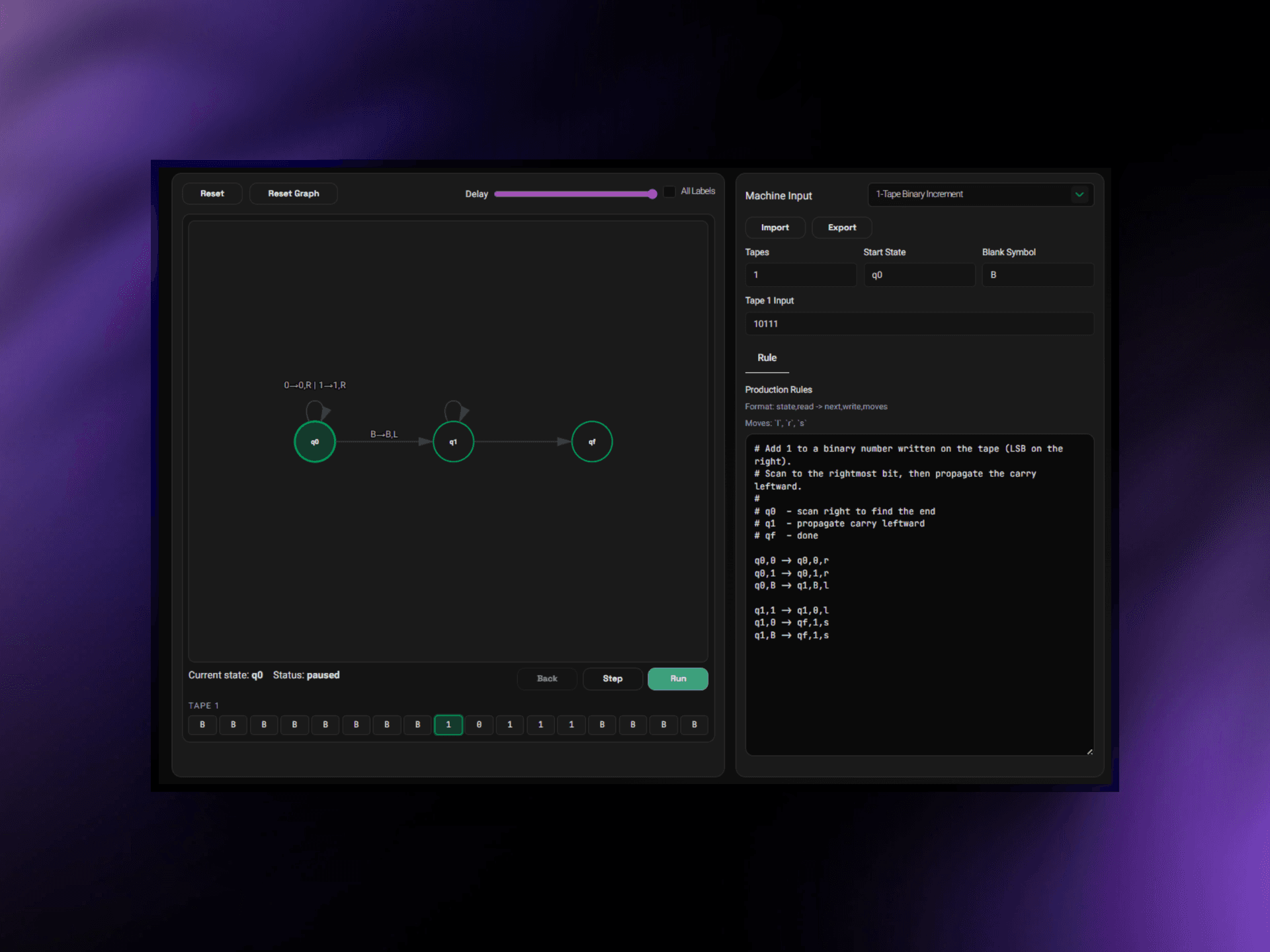
- Single tape with unlimited cells
- Step-by-step execution control
- Visual state diagram
- Current state and tape position highlighting
- Production rule editor for custom machines
2. Multi-Tape Turing Machine
An extended variant with multiple independent tapes, demonstrating how parallelism reduces time complexity.
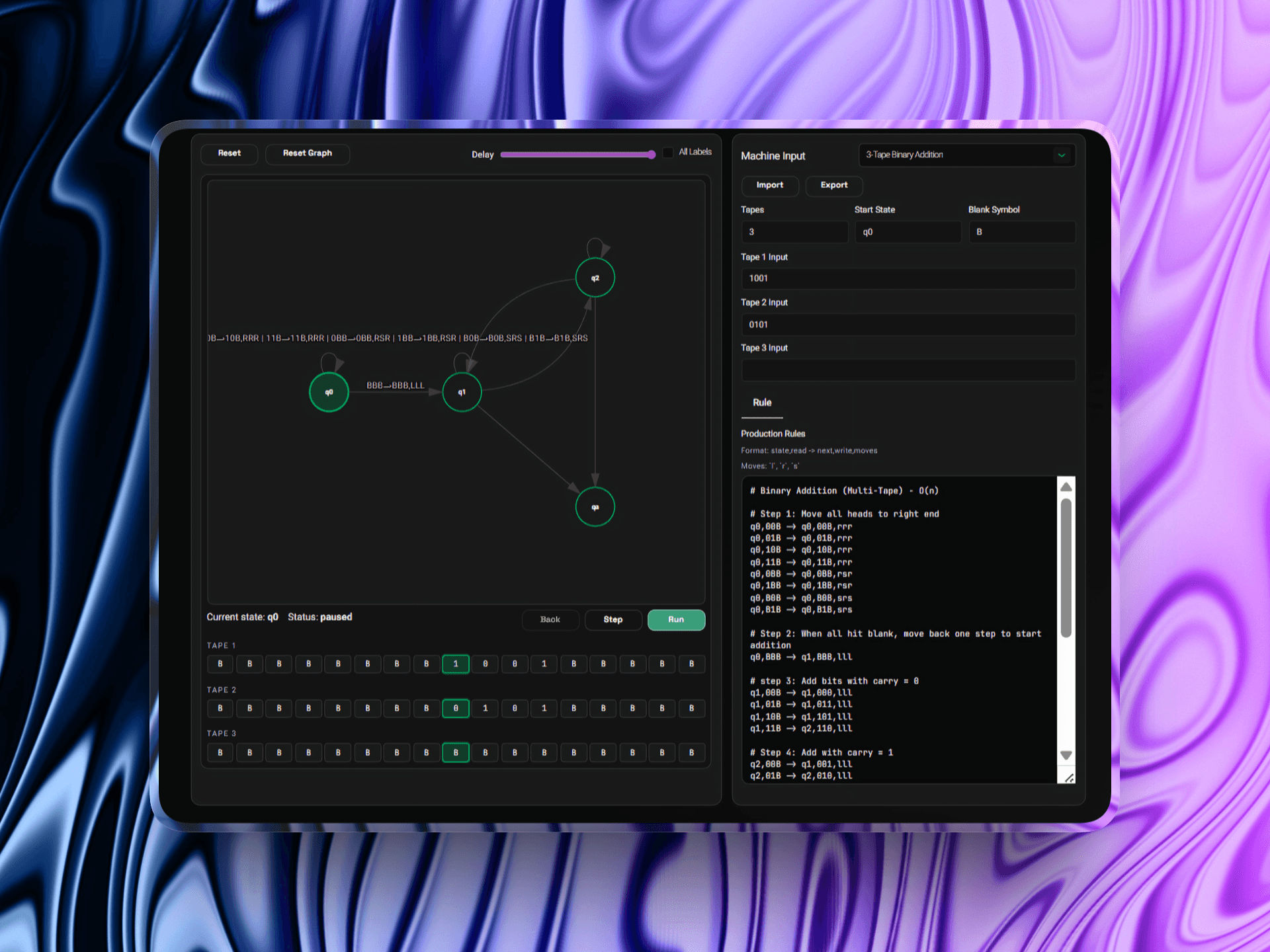
- Up to N independent tapes with separate read/write heads
- Simultaneous operations on multiple tapes per state transition
- Parallel efficiency gains for complex algorithms
- Comparative visualization of state transitions
3. Multi-Head Turing Machine
A single tape with multiple independent read/write heads, exploring efficiency gains through head coordination.
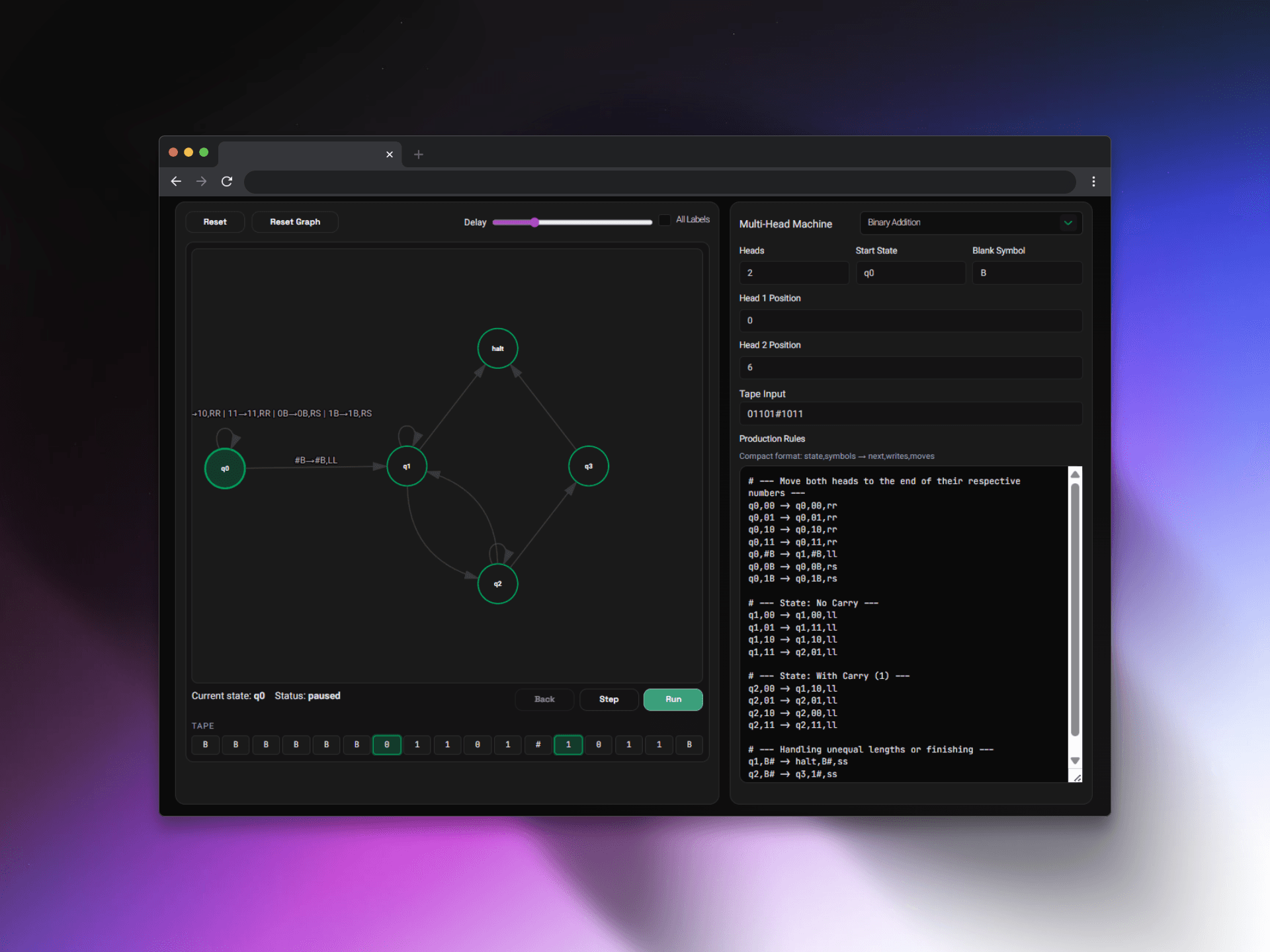
- Single tape with multiple heads operating in parallel
- Head synchronization and conflict detection
- Convergent head movement patterns
- Efficiency analysis for head-based algorithms
4. Efficiency Analysis
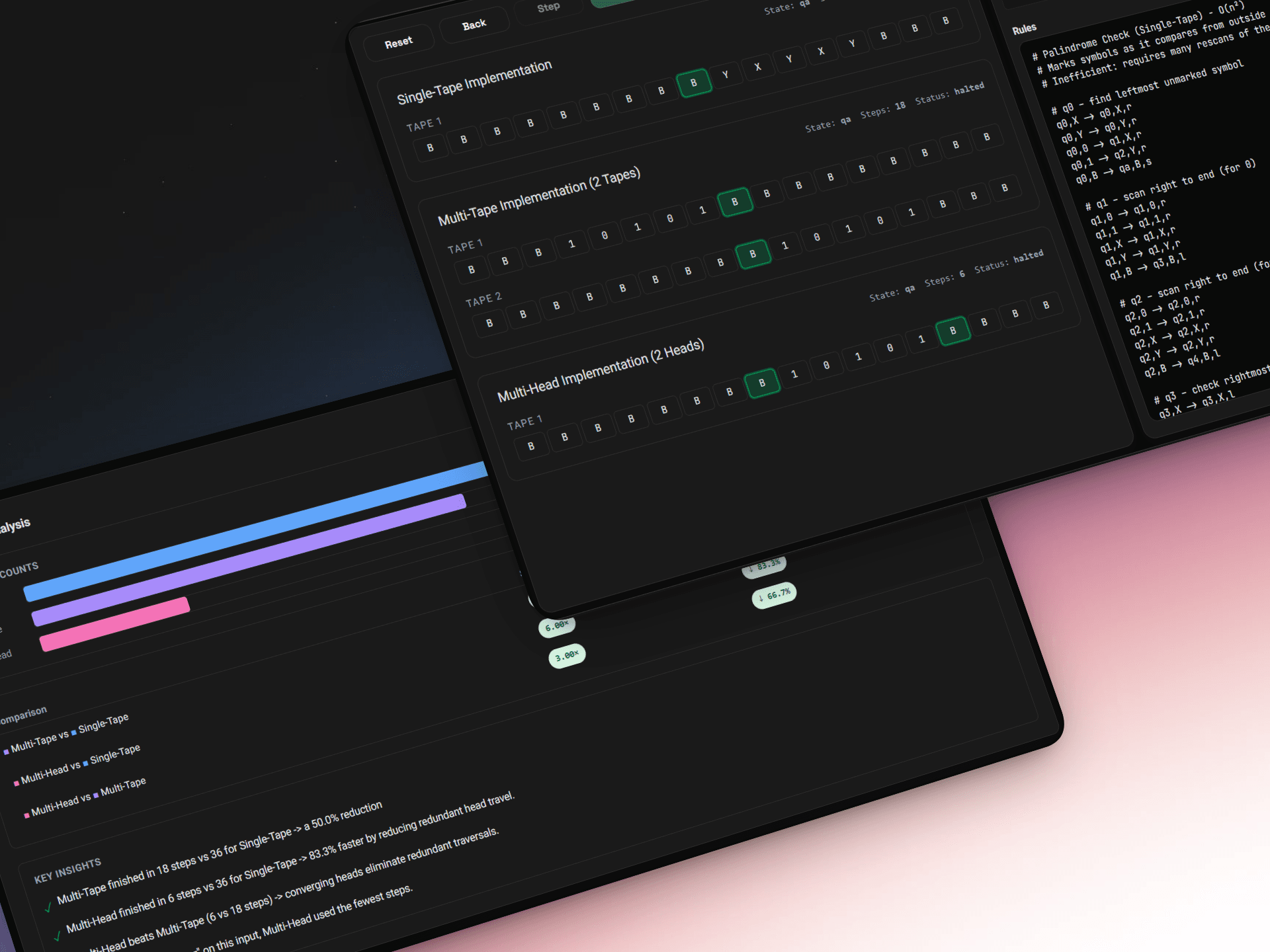
Complexity Comparison
Automatically analyze and compare the computational complexity of algorithms across all three machine types:
- Time Complexity Classification: O(1), O(log n), O(n), O(n²), O(n³)
- Pattern Detection: Identifies marking patterns, backtracking, and scan operations
- Improvement Metrics: Quantifies efficiency gains of multi-tape/multi-head over single-tape
5. Complexity Heuristics
The analyzer detects real execution patterns:
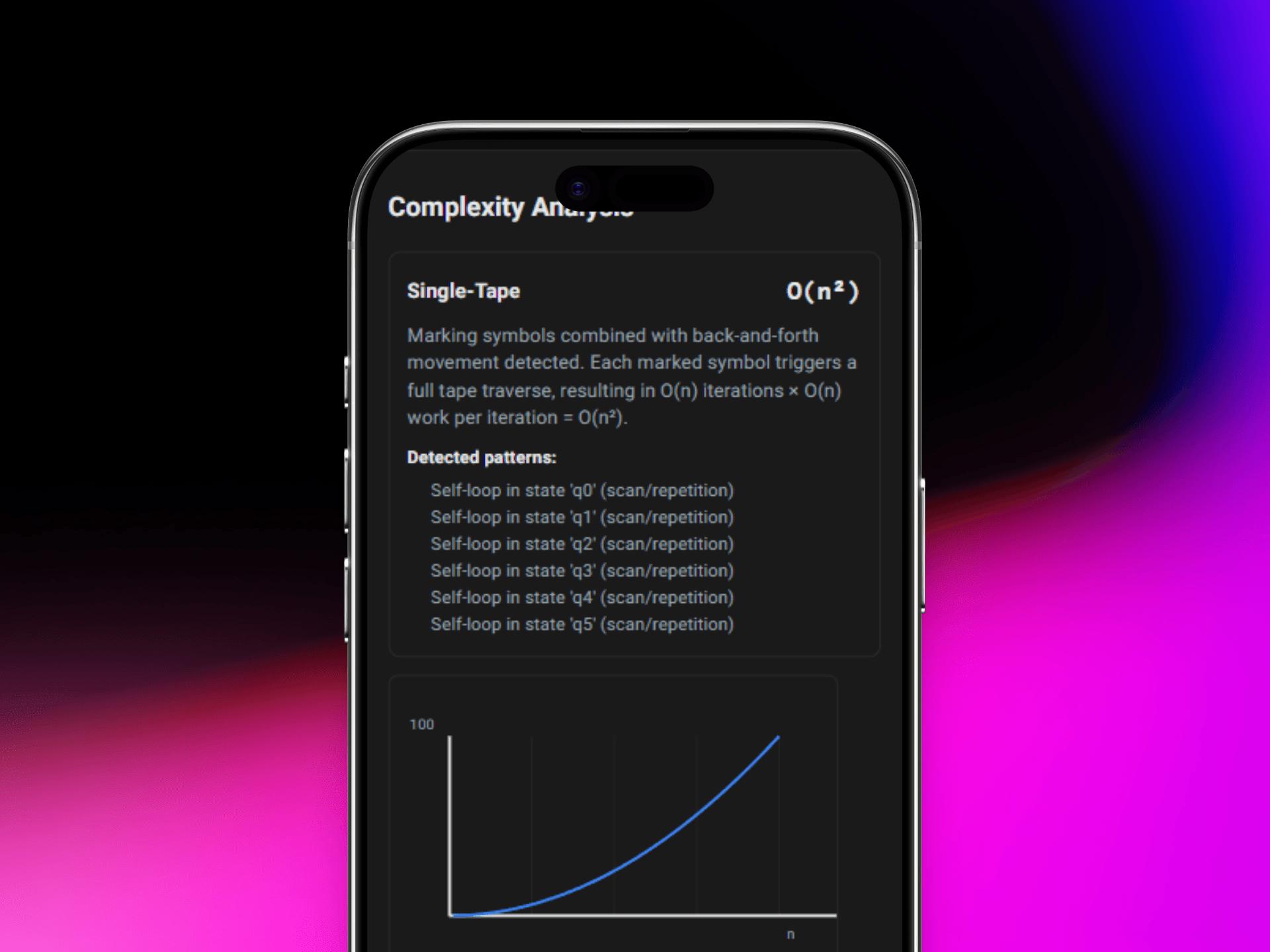
- Mark-and-Rescan: Signals O(n²) due to repeated full-tape traversals
- Parallel Operations: Multi-tape parallel traversals remain O(n) despite multiple tapes
- Backtracking Patterns: Back-and-forth movement indicates higher complexity
- Nested Marking: Multiple distinct marking symbols suggest O(n³) behavior
6. Interactive Visualization
State Diagram Rendering
Visual representation of machine state graphs with advanced features:
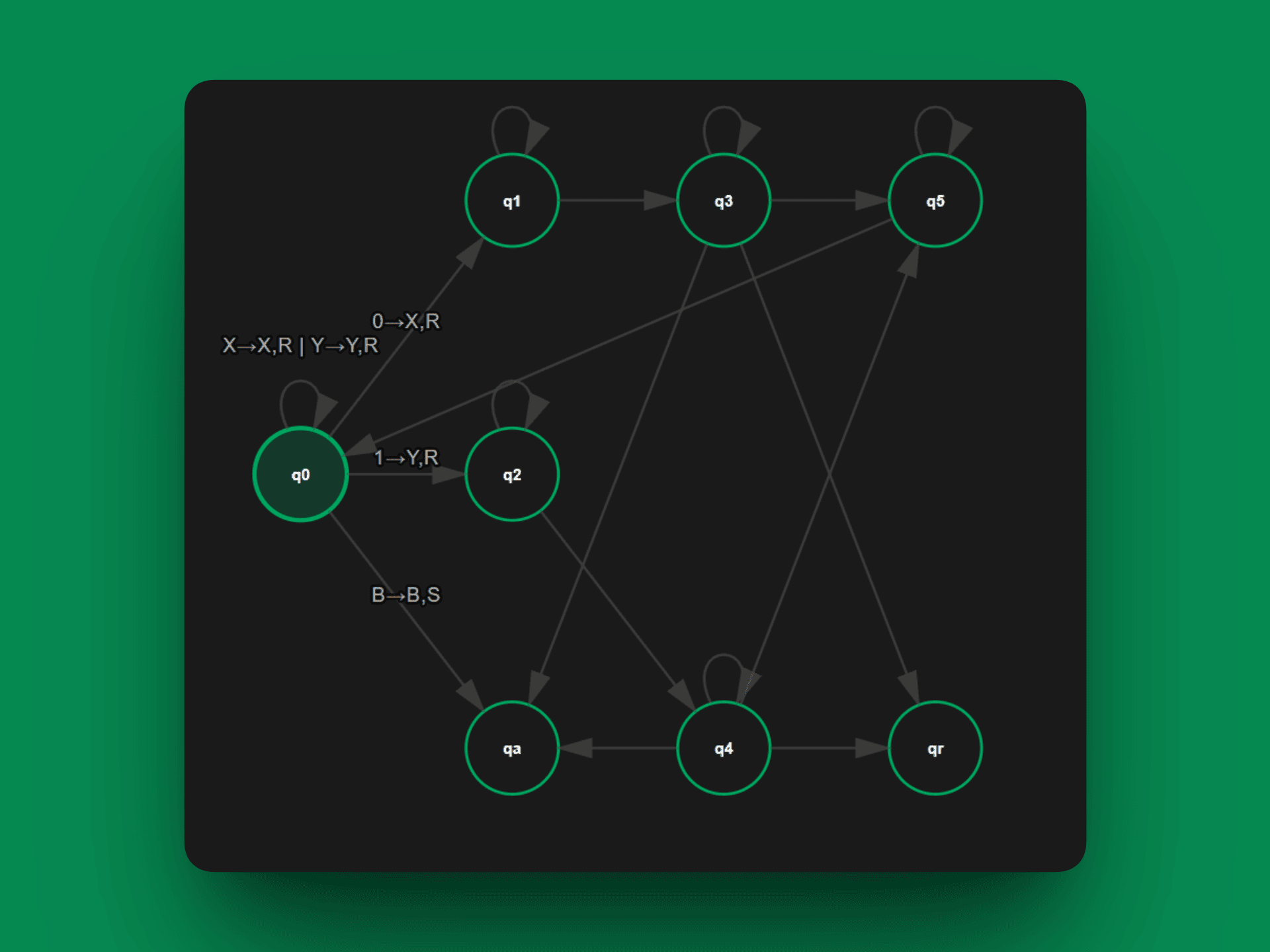
- Bidirectional Edges: Opposite-direction arcs for q₁↔q₂ transitions
- Arrowhead Alignment: Correct tangent-based directional indicators
- Automatic Layout: Force-directed positioning with BFS-based layering
- Label Positioning: Clear rule labels on transitions with proper offset
7. Customization
Production Rule Editor
Define custom machines with intuitive rule syntax:
q0,a -> q1,b,r
q1,b -> q2,c,l
q2,a -> q0,x,r
Syntax: state,symbol -> newstate,newsymbol,direction
Pre-loaded examples including:
- Binary addition
- Palindrome checking
- Unary multiplication
- String matching
- Sorting algorithms
8. User Experience
Theme Support
- Light mode for daytime use with optimized contrast
- Dark mode for reduced eye strain
- Smooth theme transitions
- Persistent theme preference in local storage
Documentation
- Getting started tutorial
- Turing machine theory explanations
- Multi-tape and multi-head concepts
- Efficiency and complexity theory
- Real-world algorithm examples
9. Educational Value
This project serves as both a learning tool and research platform:
- Visual Learning: See algorithms execute step-by-step with state transitions
- Complexity Insights: Intuitively grasp why some designs are more efficient
- Experimental Platform: Test your own algorithms and compare implementations
- Theory Bridge: Connect abstract computational theory to concrete behavior
10. Technical Highlights
- Real-time Analysis: Instant complexity classification as you modify rules
- Optimized Rendering: Smooth SVG-based visualization with Bézier curves
- Responsive Design: Works seamlessly on desktop and tablet devices
- TypeScript Safety: Fully typed codebase for reliability
- Performance: Usable for machines with 50+ states without lag